GrifPDF sheet protection
English
Buy — $49

Windows 10 & 11 software · view-only PDF

Protect PDF files from copying and printing

Grif issues drawings and documents as view-only PDFs: it prevents PDF printing, copying and editing, can turn every sheet into an image and stamps a watermark on it. DWG, DOC and XLS files are converted to PDF with protection in the same pass.

Download free trialWindows 10/11 · 38.9 MB
Buy — $49one-time payment, 1 PC
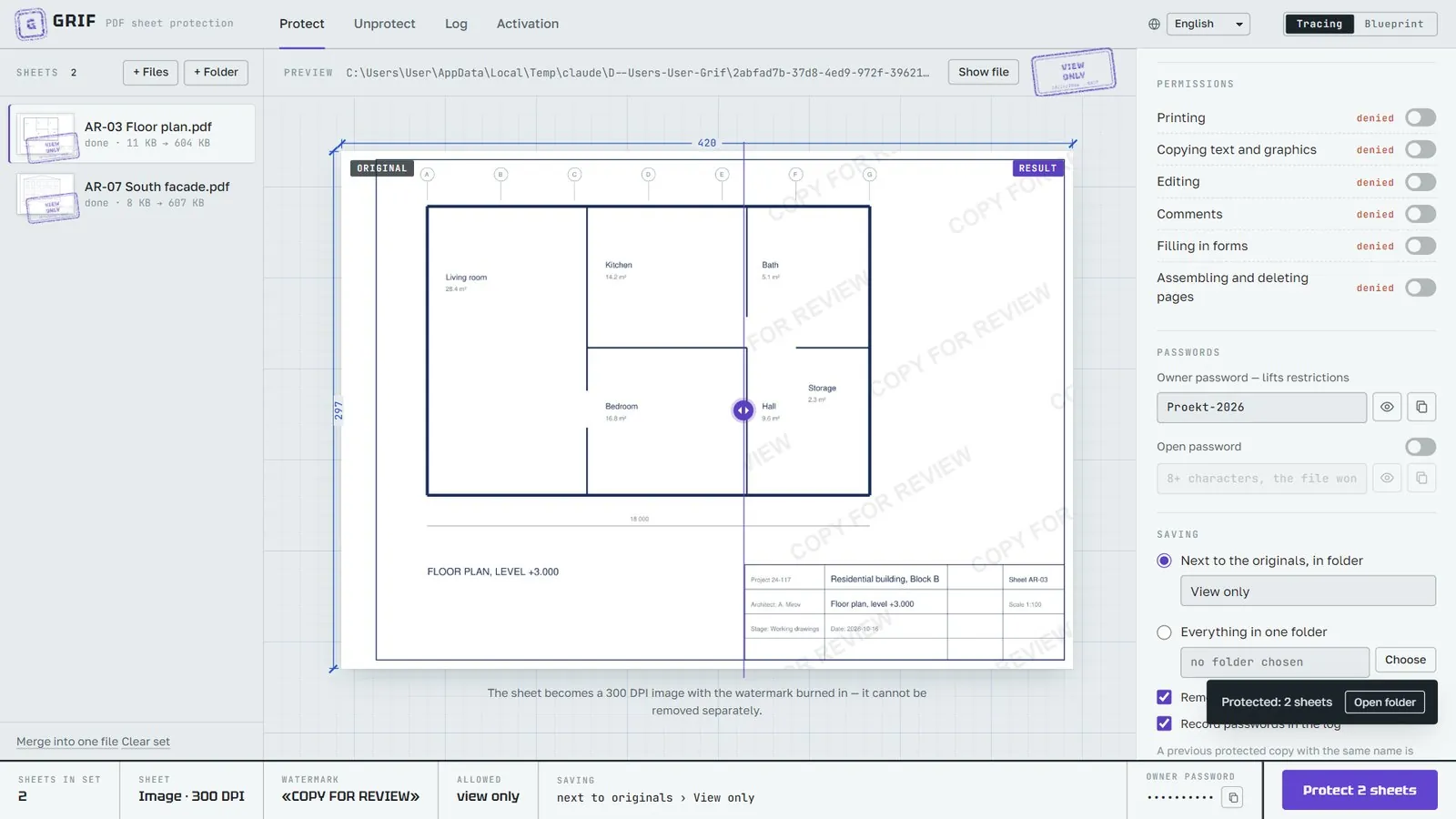
A finished set with “View only” stamps
Done: the sheets carry a “View only” stamp, and a notification with a link to the folder appears at the bottom
Price
$49 one-time · 1 PC
Trial
20 saves free
System
Windows 10 / 11
Languages
10
Internet
not needed
Version
2.0.0
01

Features

Everything you need to send drawings and documents to clients, contractors and reviewers without handing over editable files.

  • 01Batch protection

    The whole set of sheets is protected in one go; every file has its own progress and result.

  • 02PDF restrictions

    Printing, copying text and graphics, editing, comments, filling in forms, page assembly — each permission is switched separately. AES-256 encryption.

  • 03Two sheet modes

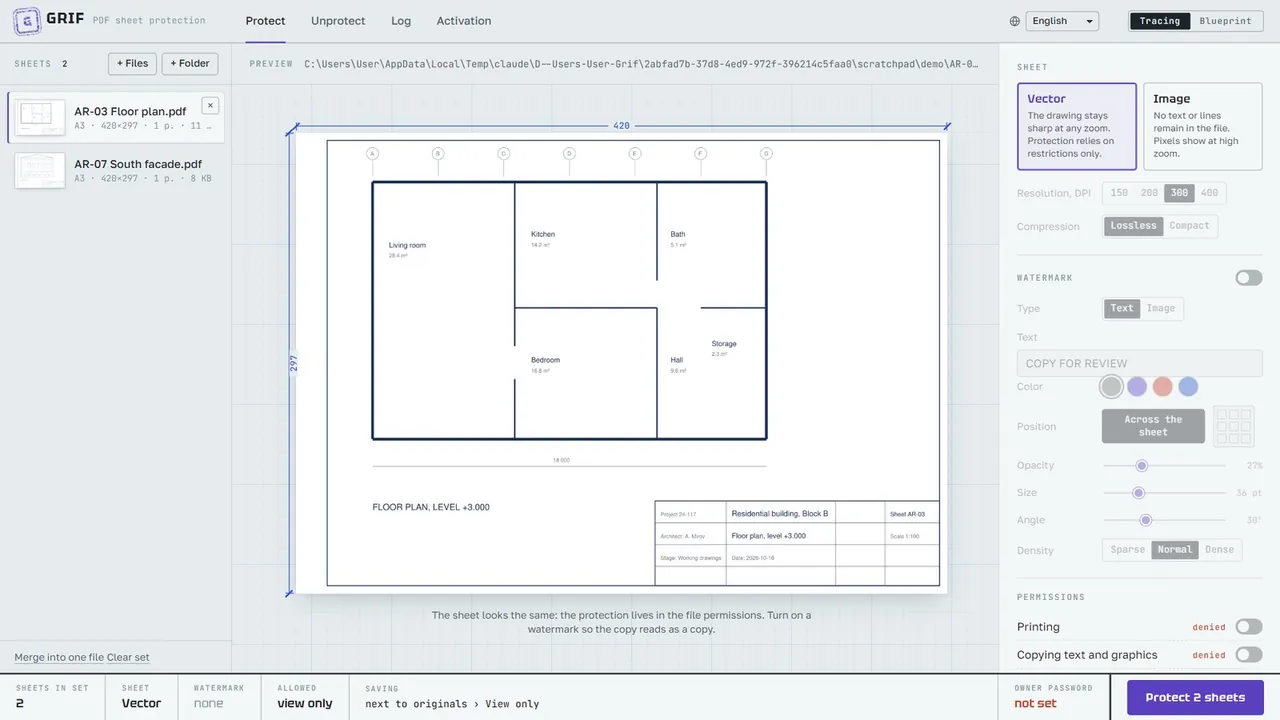
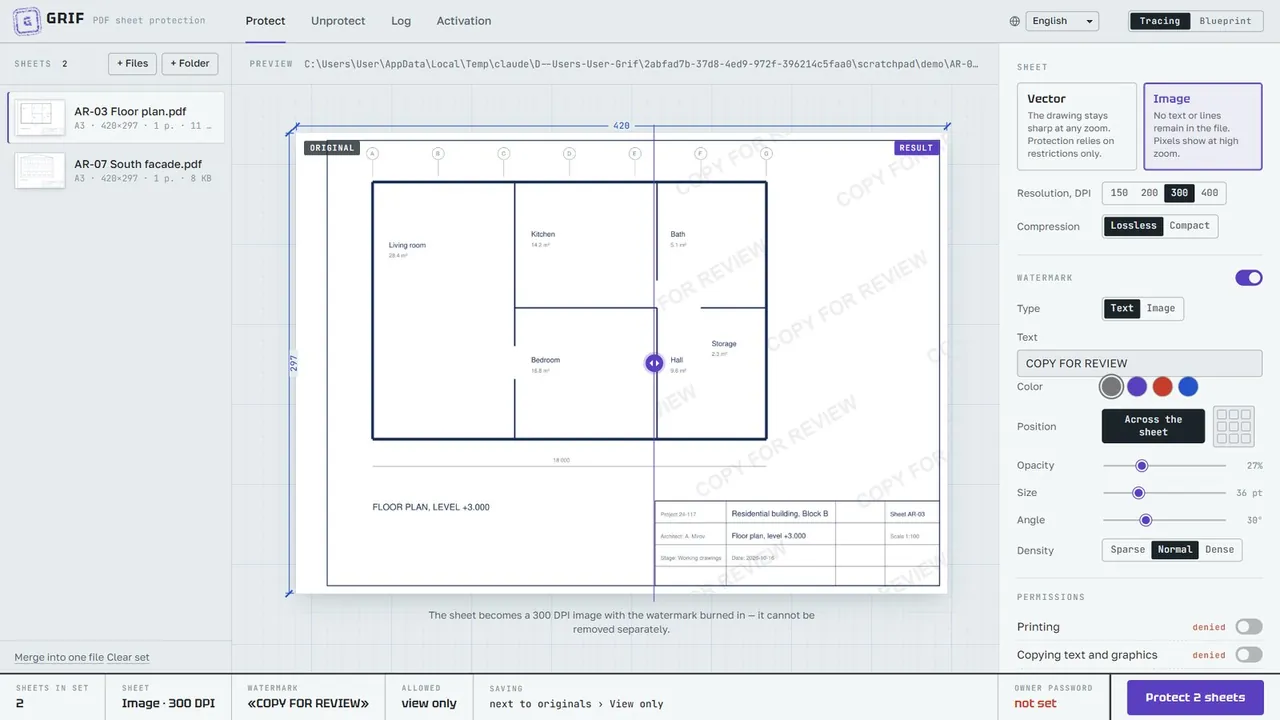
    Vector — the sheet stays sharp at any zoom. Image — the sheet becomes a 150–400 DPI picture with no text or lines left in the file.

  • 04Watermark

    Text or a picture (logo); across the sheet or as a single mark in a corner, at an edge or in the center; color, opacity, size, angle, density.

  • 05Passwords

    An owner password (lifts the restrictions) and an optional open password (the file will not open without it).

  • 06Conversion

    Besides PDF it accepts DWG/DXF, DOC/DOCX/RTF/ODT, XLS/XLSX/XLSM/CSV and TXT and converts them to PDF, keeping the sheet size.

  • 07Merging

    Combines several sheets into one PDF, for example to protect a whole set with one password.

  • 08Preview

    Shows the sheet before and after protection; the comparison divider can be moved with the mouse or arrow keys.

  • 09Unprotect

    Restores a file without restrictions using the owner password; it can find the password in the log by itself.

  • 10Issue log

    When, which sheets, where they were saved and with which password they were protected.

  • 11File cleanup

    Removes embedded files, JavaScript, auto-actions and, optionally, author and software details from the copy.

  • 1210 interface languages

    Russian, English, Chinese, Spanish, Hindi, Arabic (right-to-left), French, Portuguese, German, Japanese.

Permissions and passwords
Permissions and the owner password. The eye button shows the password, the next one copies it
01 / 06

Prevent PDF printing and copying

Turn off printing, copying of text and graphics, editing, comments, form filling and page assembly — each permission separately. The file is encrypted with AES-256 and only the owner password lifts the restrictions. Add an open password if the PDF must not open at all without it.
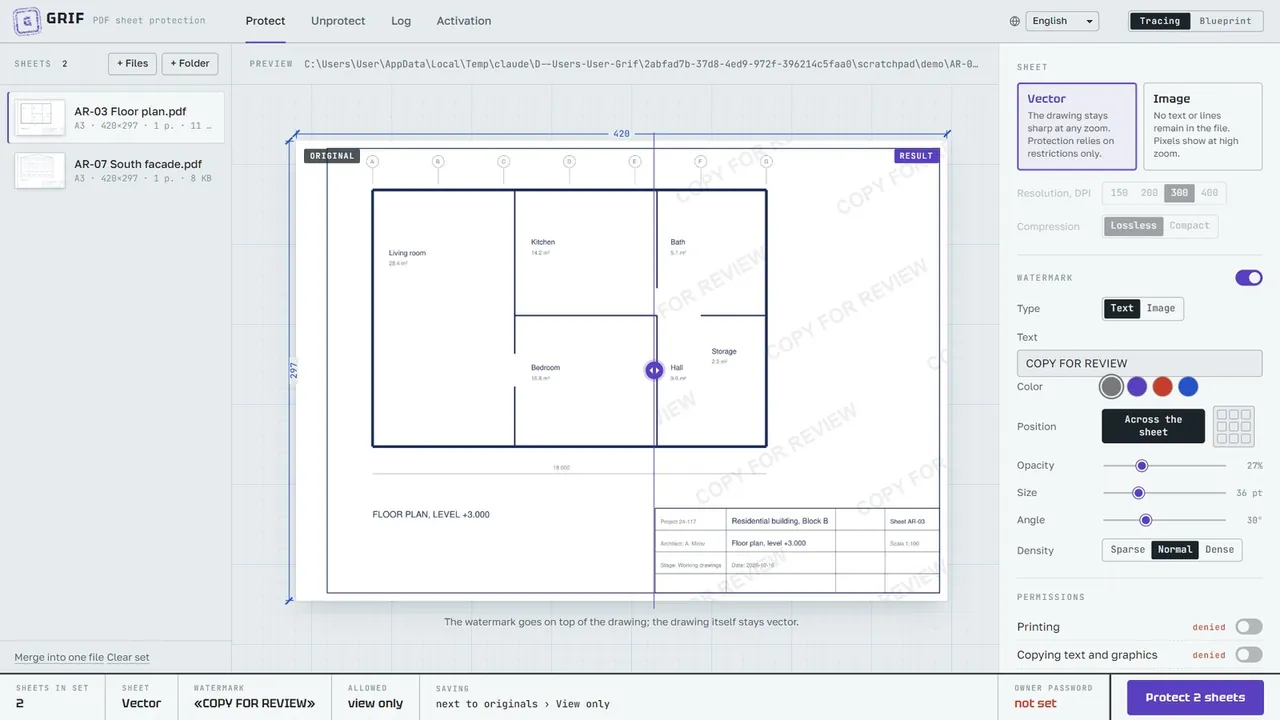
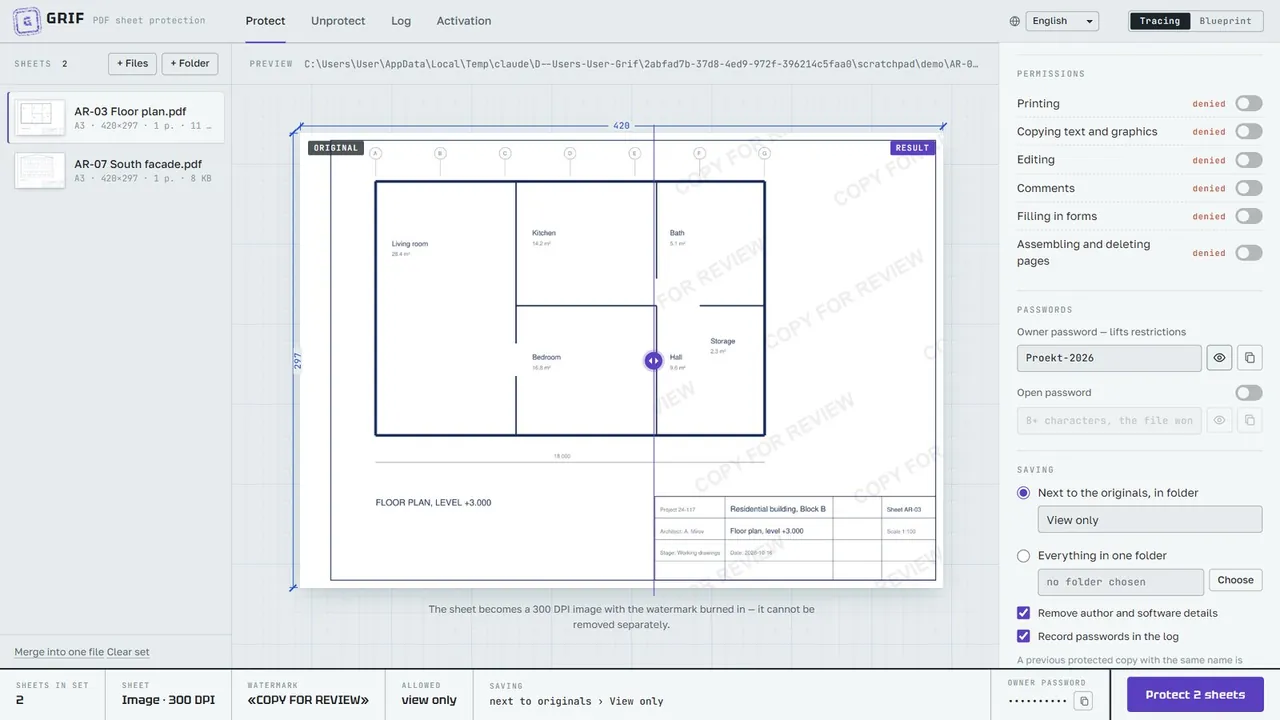
Preview with a watermark and the comparison divider
Left — the original, right — the result. Drag the violet divider with the mouse or move it with the ← → keys
02 / 06

Watermark your drawings

Text or your logo — tiled across the sheet or a single mark in a corner, at an edge or in the center. Color, opacity, size, angle and density are adjustable, and the preview shows the sheet before and after protection side by side.

Image mode, 300 DPI
Image mode at 300 DPI
03 / 06

View-only PDF with no text or lines inside

In Image mode each sheet becomes a 150–400 DPI picture: no text or vector geometry remains in the file and the watermark is burned into the pixels. Nobody can copy the drawing or extract its geometry, even with programs that ignore PDF restrictions.

Main window: sheet set, preview and settings
The Grif main window on the “Protect” tab
04 / 06

DWG to PDF with protection — plus DOC, XLS and TXT

Add DWG/DXF drawings, Word documents and Excel sheets to the set: Grif converts them to PDF through your installed AutoCAD, Word and Excel, keeping the sheet size and scale, then protects them. Several sheets can be merged into one PDF so the whole set is locked with one password.

05 / 06

Issue log and unprotecting

Every issue is recorded: when, which sheets, where they were saved and with which password. Your own files can be unprotected with the owner password — Grif can even find it in the log. Your originals are never modified.

Issue log
A log entry: date, mode, watermark, permissions, password and the list of files
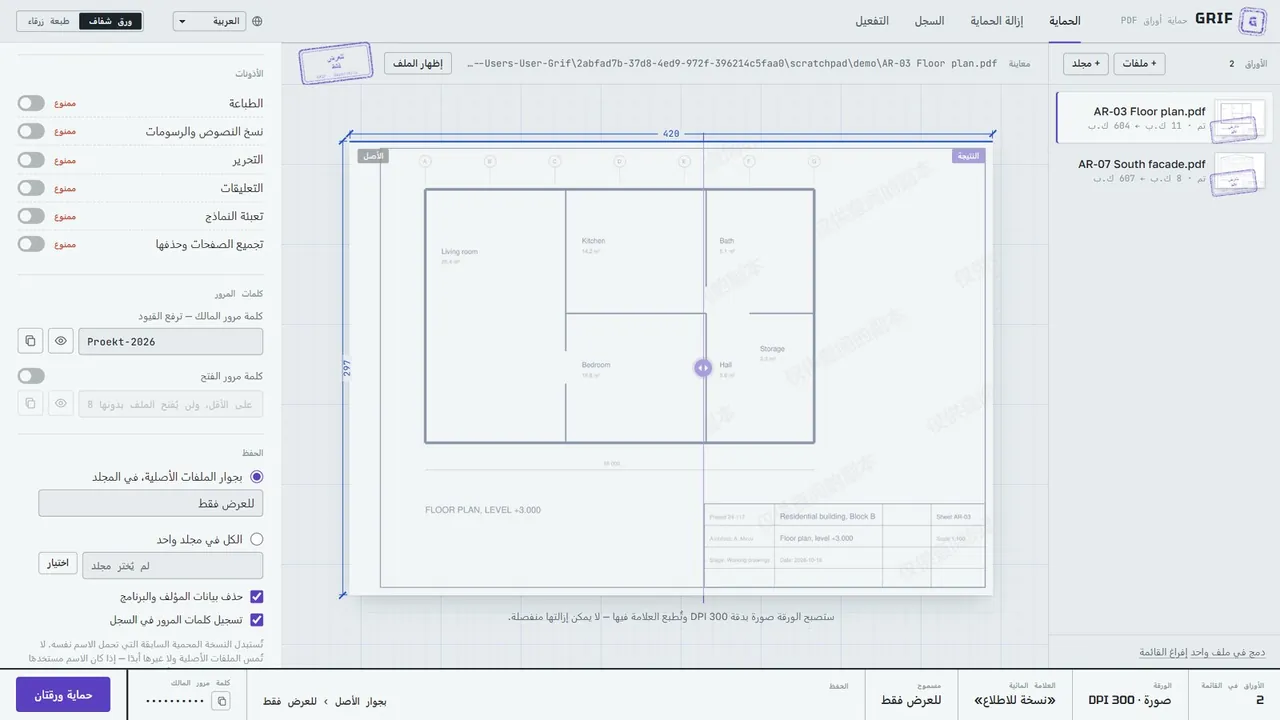
The interface in Arabic
Arabic interface: right-to-left layout and an Arabic watermark
06 / 06

10 languages, fully offline

The interface speaks English, Russian, Chinese, Spanish, Hindi, Arabic (right-to-left), French, Portuguese, German and Japanese, and the watermark can be written in any of them. All files are processed on your computer and never uploaded anywhere.

02

How it works

  1. 1/3

    Add sheets

    Drag PDF, DWG, DOC or XLS files — or a whole folder — into the window.

  2. 2/3

    Set the protection

    Choose restrictions, sheet mode, watermark and owner password. The preview shows the result.

  3. 3/3

    Click Protect

    Protected copies appear in a “View only” folder next to the originals, ready to send.

Files Grif accepts

  • DWG
  • DXF
  • DOC
  • DOCX
  • RTF
  • ODT
  • XLS
  • XLSX
  • XLSM
  • CSV
  • TXT
  • PDF
03

Price

Free trial

$020 saves

  • all features included
  • 20 saved results
  • unlimited preview
  • no registration, no card
Download free trial

License

$49one-time payment

  • license for 1 computer
  • no subscription
  • license key delivered automatically after payment
  • activate once online, then work offline
Buy — $49

Payment and license keys are handled by Whop (store “Rakhimov Software”). Paste the key on the Activation tab in Grif.

04

Requirements

ComponentRequirement
Operating systemWindows 10 version 1803 or later, or Windows 11; 64-bit (x64) only
Processorx64, 2 cores or more
Memory (RAM)4 GB minimum; 8 GB or more for Image mode on large formats (A1, A0) at 300–400 DPI
Disk spaceabout 500 MB for the program and components, plus space for results (an Image-mode sheet takes from hundreds of kilobytes to tens of megabytes, depending on the size, DPI and density of the drawing)
Screen1280×720 or larger; the window adapts down to half the screen width
Windows componentsMicrosoft .NET Framework 4.7.2 or later (already included in Windows 10 1803+);
Microsoft Edge WebView2 Runtime (included in Windows 11; the installer adds it if it is bundled with the build)
Rightsadministrator to install; a standard user to work
For conversion (optional)DOC, DOCX, RTF, ODT — Microsoft Word;
XLS, XLSX, XLSM, CSV — Microsoft Excel;
DWG, DXF — AutoCAD.
These programs must be installed and activated. PDF and TXT need no third-party software.
Internetnot required — the program works fully offline

The resulting files open in any PDF viewer. Adobe Acrobat Reader, Foxit, Microsoft Edge, Google Chrome and most other programs respect the restrictions.

05

Questions and answers

Does Grif need the internet?

No. Grif works entirely on your computer and never uploads your files. The internet is needed only once, to activate a license key bought on Whop.

How strong is the protection?

PDF restrictions with AES-256 encryption are respected by Adobe Acrobat Reader, Foxit, Microsoft Edge, Google Chrome and most viewers, but special tools can bypass them, and nothing can prevent a screenshot. For important drawings combine Image mode, a watermark and an open password: the file then contains no text or vectors and every copy is marked.

Do I need AutoCAD to convert DWG?

Yes. DWG and DXF are converted through an installed AutoCAD, DOC/DOCX/RTF/ODT through Microsoft Word, XLS/XLSX/CSV through Microsoft Excel. PDF and TXT files need no other software.

Will my original files change?

Never. The result is always saved as a separate file — by default in a “View only” folder next to the originals.

What does the trial include?

Every feature of the full version and 20 saves: each protected, merged or unprotected file counts as one save. Preview is unlimited.

How do I activate or move my license?

After buying on Whop, paste the license key on the Activation tab — Grif binds it to this computer. One key works on one PC; to move the license to a new computer, contact the seller through Whop.

Windows says “Unknown publisher”

The installer is signed with the developer’s own certificate, which SmartScreen does not trust yet. Click “More info” → “Run anyway”. Download Grif only from the link on this site.

Every setting explained step by step in the user guide

Send drawings, not source files

Download Grif and protect your first 20 sheets for free.

Download free trialWindows 10/11 · 38.9 MB
Buy — $49one-time payment, 1 PC